Messenger - SMS Text Messages
- 4.1
- Rating
- 500.00K
- Installs
- Free
- Price

 Analysis by App-foxy
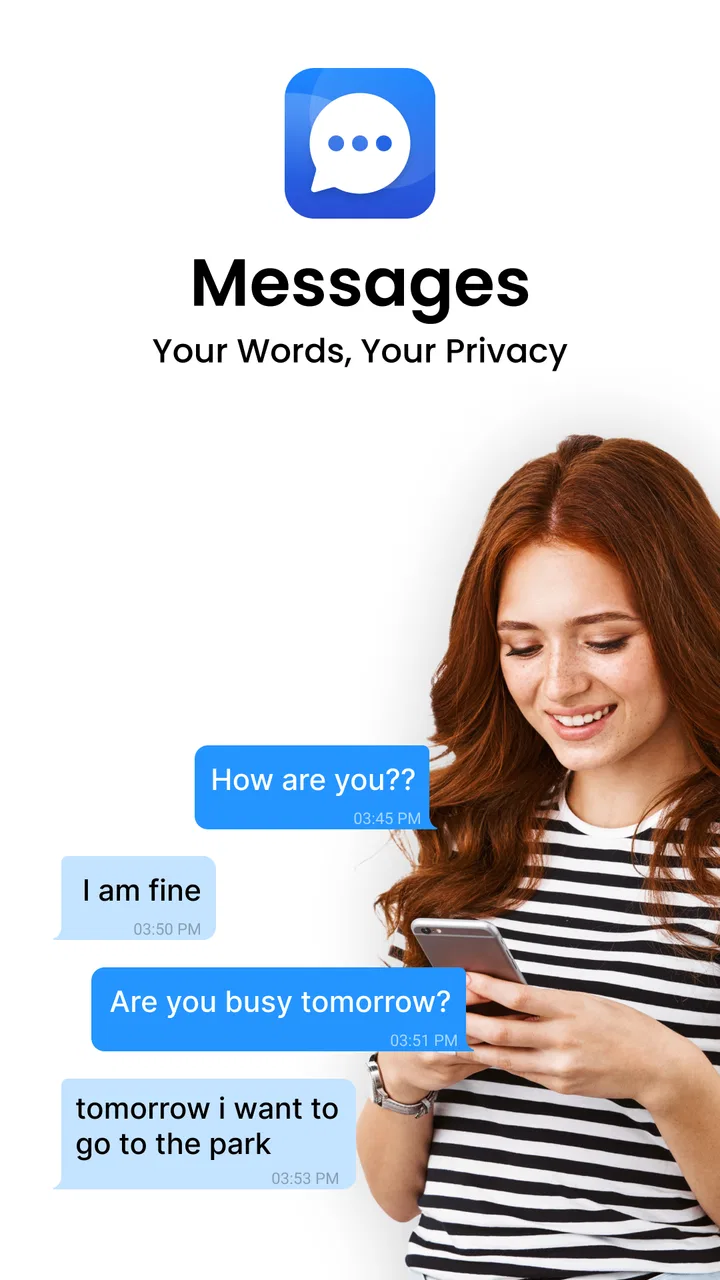
I spent time with Messenger - SMS Text Messages as a straightforward communication app, and my first impression was that it aims to remove clutter rather than compete through a long list of extras. Developed by Amora Apps, it is a free messaging app for Android, with optional purchases priced from $3.99 to $19.99 per item. Its main appeal is simple: opening a conversation, finding the person I need, and sending a message without having to learn an elaborate social platform.
That simplicity matters more than it may sound. Messaging is often used while someone is distracted, tired, travelling, dealing with a weak connection, or helping another person with a phone. In those moments, a focused interface can be more useful than a feature-packed service. My experience also made it clear that this is best considered a practical SMS and text-messaging tool, not a complete replacement for every modern chat service.
How the interface feels to read and navigate
The app’s strongest quality is its direct purpose. It belongs to the communication category, and the central task is immediately understandable: reach a conversation and write a message. I found that approach easier to follow than apps where messaging is mixed with stories, channels, shopping, games, or a large social feed. For someone who wants fewer distractions, that narrower focus is a genuine advantage.
You May Also Like

 Blood Strike: 2.5 Anniversary
Blood Strike’s Loadouts Turn Every Drop Into a Tactical Gamble
A close look at Blood Strike’s custom loadouts: how fast access to signature weapons reshapes its battle royale rhythm, rewards preparation, and narrows the gap between fights.

 Pandora - Music & Podcasts
Pandora’s Music Is Easy to Start, but Harder to Recover
Pandora’s strength is its low-effort path from a seed to a station. Its weak spot is how much confidence it asks you to place in connection, setup, and quiet recovery.

 8 Ball Pool
 Is Built on Rivalries, Rematches, and Routine
A close look at the rivalries, rematches, shared routines, and unanswered safety questions that turn a quick pool match into a persistent mobile community.

 Samsung Music
’s Quiet Strength Is Playing What You Already Own
Its reach comes less from spectacle than from dependable access to a personal library. That simplicity is both the app’s strongest retention engine and its ceiling.

 AccuWeather: Weather Radar
AccuWeather Review: A Quick, Clear Forecast for Everyday Decisions
For everyday plans, the best forecast is the one you can understand quickly. AccuWeather makes rain timing, radar, and local conditions easy to act on, with a few trade-offs.

 Hill Climb Racing
Why Hill Climb Racing Still Turns Crashes Into One More Run
A tiny car, a bumpy hill and one more upgrade: Hill Climb Racing keeps resurfacing because its simple chaos makes every near-miss feel personal.
More From Our News Desk



Readability is especially important in a messaging app because the screen may be checked repeatedly throughout the day. Conversation text, contact names, and message order need to be separated clearly enough that I can scan them quickly. Messenger - SMS Text Messages generally feels more approachable when I use it for short exchanges rather than trying to manage a large archive of conversations at once. If your inbox is crowded, taking a moment to remove old threads or keep important contacts easy to find can make the experience much calmer.
I would recommend setting up a simple personal routine before relying on it heavily. Keep the people you contact most often recognizable by name, avoid letting unrelated conversations pile up, and check the recipient before sending anything sensitive. That last step is not an app feature; it is a useful habit because a clean interface can make sending feel so quick that I sometimes move faster than I should.
The current version is 4.5, and the app supports devices running Android 8.0 or later. That makes it relevant to people who are not using the newest phone, including families keeping an older handset in service. Still, compatibility alone does not guarantee the same visual comfort on every screen. A smaller display, unusual font settings, or a damaged screen can change how easy the app is to use, so I would test it on the actual phone that matters rather than assuming the experience will be identical everywhere.
The app has reached over 500K installs and holds a 4.1 average from around 4.1K ratings. Those figures suggest that it has found a substantial audience, but they should not be treated as proof that it will suit every communication style. A person who wants a focused SMS tool may appreciate it more than someone looking for group communities, media-heavy chats, or a broad online identity.
Navigation that works best when the task is narrow
I found the app easiest to understand when I approached it with one question: “Who do I need to message?” That mindset fits people who prefer predictable steps. It can also help a relative or support worker explain the app without having to describe a complicated network of tabs. For older users or anyone returning to Android after a long break, a messaging app with a limited purpose may feel less intimidating than a large social platform.
There is a trade-off here. A minimal communication workflow can be reassuring, but it may not offer the same depth of organization as a mature messaging ecosystem. If you need sophisticated conversation management, extensive desktop use, or a large set of collaboration tools, I would compare it carefully with the service already used by your family, workplace, or community. The easiest app in isolation is not always the easiest app when everyone else is somewhere else.
Motor, visual, and sensory considerations in daily use
Messaging involves repeated small actions: selecting a person, placing the cursor, typing, correcting mistakes, and pressing send. That makes motor comfort just as important as visual clarity. In my use, the app makes the most sense for people who want a conventional text workflow and do not need a complicated gesture system. The fewer decisions involved, the less tiring a quick exchange can feel.
For someone with limited dexterity, the practical question is not only whether a message can be sent, but whether the process remains comfortable after many messages. A physical keyboard, Android’s typing assistance, voice input, or a larger device may make a bigger difference than the app itself. I would try composing a longer message before deciding. Short replies can feel effortless while a paragraph exposes problems with cursor placement, correction, or accidental taps.
People with low vision may benefit from Android’s own display and text adjustments, provided those settings remain comfortable inside the app. Enlarging text can improve reading, but it can also change how much of a conversation is visible at once. That creates a useful trade-off: larger text may reduce visual strain while requiring more scrolling. I prefer to optimize for comfortable reading rather than trying to fit an entire conversation on one screen.
Color sensitivity and glare are also worth considering. A bright screen in a dark room can make any messaging app unpleasant, while reflections outdoors can hide message details. I would check the app in the places where I actually send texts: beside a window, on public transport, and late at night. An interface that feels fine at a desk may be much harder to read in motion or under harsh light.
For users with hearing loss, text-based communication is naturally useful because the exchange does not depend on hearing a call. That does not mean every communication need is solved. If the conversation becomes urgent, emotional, or complex, a text-only workflow may be slower than a call or an in-person discussion. I see Messenger - SMS Text Messages as a useful option for written contact, not as a universal substitute for every form of communication.
A realistic everyday scenario
Imagine I am helping a family member who uses an older Android phone. They do not want a social network account, do not need a stream of photos, and mainly send short updates such as “I arrived” or “Please pick me up.” In that situation, a focused SMS app can reduce the number of concepts they must learn. I would first identify the contacts they use most, adjust the phone’s text and display settings, and practice sending a message without rushing.
The same setup can work for someone who is temporarily recovering from an injury and finds extended screen interaction tiring. A short, familiar route to a conversation is valuable when concentration or hand movement is limited. I would still encourage the person to check the recipient and message content before sending, especially if the phone is shared or contacts have similar names.
Another useful situation is a backup phone. Because the app supports Android 8.0 and above, it may fit an older device that is kept for travel, emergencies, or a family member. The benefit is not that it transforms the phone into a full communication hub; the benefit is that it keeps the basic messaging task visible and manageable. That distinction helps set realistic expectations.
Access across different places and circumstances
Accessibility is not only about permanent disabilities. It is also about what happens when someone is walking, wearing gloves, sitting in bright sunlight, dealing with fatigue, or using a phone with one hand. Messenger - SMS Text Messages is most convincing in these ordinary, imperfect situations because its purpose is concentrated. I can treat it as a tool for a quick written exchange instead of navigating a larger online environment.
One-handed use deserves a little planning. If I am carrying a bag or holding a rail, the phone may be harder to control, and a fast interface does not remove the risk of tapping the wrong conversation. I would avoid composing sensitive messages while moving and use a safer, stationary moment whenever possible. For brief updates, the app’s focused nature helps; for longer writing, I prefer to wait until I can use both hands or a more comfortable keyboard.
Travel can expose a different limitation. Messenger - SMS Text Messages is attractive when the people I need to reach already communicate through ordinary text messaging. It is less compelling if a group has moved entirely to an internet-based service with shared media, live reactions, or large group coordination. In that case, installing it may add another inbox rather than simplifying communication.
There is also a social accessibility question. An app can be easy for me to operate but still inconvenient if my contacts do not use the same channel. Before switching, I would ask whether the people I contact most often are comfortable receiving regular text messages. For a small circle, that may be effortless. For a community spread across different platforms, the usual alternative may remain more practical.
The Everyone content rating makes the app suitable for a broad audience in terms of age classification. That does not replace supervision or good phone habits for children. A young user may still need help choosing contacts, understanding that messages can be misunderstood, and knowing when not to share personal information. The app’s plain communication purpose can make those lessons easier to explain, but it does not remove the need for them.
Where it compares well with familiar alternatives
Compared with a large social messaging platform, this app feels more focused. I do not choose it for public posts, creator content, or a constantly changing feed. I choose it when the important thing is a direct text exchange. That can be a relief for people who find social apps visually busy or mentally demanding.
Compared with a feature-rich internet messenger, the appeal is different. Those services may be better for groups, shared files, rich media, synchronized conversations, or communication across several devices. I would choose one of them when my contacts already organize their lives there. Messenger - SMS Text Messages makes more sense when simplicity and ordinary texting are the priority.
Compared with the phone’s default messaging app, the decision is personal. Some users will see no reason to change if the built-in option already feels readable and comfortable. Others may prefer this app’s approach or simply want to try a different interface. I would not switch merely because the app is free; I would switch only if its conversation flow feels easier on the specific device I use.
Remaining barriers and points to check before switching
The biggest potential barrier is not necessarily navigation. It is the gap between a focused SMS tool and the broader expectations people now have from messaging. If you need dependable group coordination, rich media workflows, or a conversation history that follows you across several environments, a more established alternative may be a better fit. This app is strongest when the job stays close to direct texting.
Optional purchases are another consideration. The app is free to download and use as its basic offering, while in-app items range from $3.99 to $19.99 each. I would explore the free experience first and avoid assuming that every useful part of the app requires payment. If you are setting it up for someone who wants a simple, predictable phone, explain that optional purchases exist so there are no surprises during use.
I also recommend checking how the app fits into your existing habits before making it the default communication tool. Send a few messages to people you contact regularly, try reading a longer conversation, and test it under the lighting conditions that usually cause difficulty. This reveals more than a quick glance at the first screen. It also gives you a chance to notice whether your contacts reply through the same channel or continue using another service.
For people who rely on assistive settings, the phone’s operating system remains an important part of the experience. Larger text, magnification, voice input, and other Android tools may improve access, but the right combination depends on the individual. I would not promise that the app solves every accessibility need. Instead, I would treat it as one part of a setup that includes the handset, keyboard, display preferences, and the communication habits of the people around you.
Privacy and safety also deserve ordinary caution. I would avoid sending passwords, financial details, or highly sensitive information in a casual text conversation, and I would double-check recipients before pressing send. These are sensible rules for any messaging app, but the speed of a lightweight tool can make them easy to forget. A short pause is worthwhile when the message could have real consequences.
My inclusive verdict after using it
Messenger - SMS Text Messages is a sensible choice for someone who wants communication to stay close to its basic purpose. I like its potential to reduce distraction and make a direct message feel less demanding than a full social platform. Its support for Android 8.0 and later also gives it a place on older phones, which can matter for families, backup devices, and users who are not ready to replace working hardware.
I would recommend it most strongly to people who mainly exchange direct texts, prefer a focused screen, and are happy to work within a conventional SMS routine. It can also suit someone helping another person learn messaging because the concept is easy to explain: find the contact, write clearly, check the recipient, and send. That practical sequence is more valuable than an impressive feature list for many everyday users.
I would skip it if my communication life depended on a large group, rich collaboration, a broad internet messenger network, or a service my contacts already use successfully. I would also keep the default messaging app if it already offers a more comfortable experience with the phone’s accessibility settings. Switching is worthwhile only when this particular interface makes texting easier, not simply because it is available.
Overall, my opinion is positive but measured. The 4.1 average from around 4.1K ratings and its audience of over 500K installs show that the app has practical appeal, while the free entry point makes trying it uncomplicated. The most important test is personal: can you read it comfortably, operate it without strain, and reach the people who matter without adding another layer of confusion? If the answer is yes, Messenger - SMS Text Messages is a useful, focused option. If not, a familiar alternative may be the more inclusive choice.
FAQs for Messenger - SMS Text Messages
01What features does Messenger - SMS Text Messages offer?
Messenger - SMS Text Messages provides a comprehensive suite of messaging features, including text and multimedia messaging, group chats, and customizable notifications. It also supports emojis, stickers, and the ability to send voice messages. Additionally, users can personalize their chat experience with themes and backgrounds, making communication more engaging.
02Is Messenger - SMS Text Messages secure?
Messenger - SMS Text Messages prioritizes user security by offering end-to-end encryption for messages, ensuring that your conversations remain private and secure. The app also provides options to lock the application with a password or fingerprint, adding an extra layer of protection to your personal data and communications.
03Does Messenger - SMS Text Messages require an internet connection?
While Messenger - SMS Text Messages does not require an internet connection for standard SMS messaging, features like multimedia messages, stickers, and voice messages require data or Wi-Fi. An internet connection is also necessary for certain features like cloud backup and sync across devices.
04Can I use Messenger - SMS Text Messages for international texting?
Yes, Messenger - SMS Text Messages supports international texting. However, standard carrier charges for international messages may apply. It is advisable to check with your mobile service provider regarding international texting rates and consider using internet-based messaging features to avoid additional charges.
05How can I customize my chat experience in Messenger - SMS Text Messages?
Messenger - SMS Text Messages allows users to personalize their chat experience through various customization options. You can change chat themes, apply different color schemes, and select unique backgrounds for individual conversations. The app also supports custom notification tones and lets you organize chats with contact-specific settings.
Pros
- Easy to navigate interface.
- Supports multimedia messages.
- Customizable themes available.
- Quick message delivery.
- Secure end-to-end encryption.
Cons
- Contains in-app advertisements.
- Limited customization for free users.
- Occasional notification glitches.
- No dark mode for older versions.
- Lacks advanced search options.

Messenger - SMS Text Messages
Gallery